Apps
YouTube Features That Improve Browsing
Discover which YouTube features truly improve your browsing. Learn smart ways to customize recommendations, organize content, speed up navigation, and use playlists or notifications better.
Advertisement
Customizing Home Suggestions Drives Better Discovery
Reset Recommendations for a Fresh Experience
Block Channels to Remove Unwanted Content Types
| Feature | Benefit | How to Use | Action Step |
|---|---|---|---|
| Not Interested | Removes disliked videos | Click three dots | Select ‘Not Interested’ on home page |
| Don’t Recommend Channel | Hides entire channels | Choose from video menu | Block irrelevant channels fast |
| Clear Watch History | Resets recommendations | Visit settings | Delete or pause history for fresh feeds |
| Explore Tab | Broadens search | Open from navigation bar | Test new trending topics |
| Topic Bubbles | Narrows suggestions | Tap at top of homepage | Dive into niche recommendations |
Navigation Shortcuts Save Serious Browsing Time
Personalize Playback for Flow
- Enable keyboard shortcuts with “K” to pause or play—less clicking saves time and makes multitasking less stressful, especially during active learning sessions.
- Double-tap left or right on mobile to skip 10 seconds—this suits fast-paced sports replays or skipping intros without scrubbing blindly.
- Tap “L” and “J” on desktop to jump 10 seconds ahead or back—practical for lectures, where replaying a crucial line clarifies confusing sections instantly.
- Use “F” to enter or exit full screen swiftly—movies and travel vlogs feel immersive, while toggling back keeps working windows close at hand.
- Adjust playback speed via gear or three-dot menu—speeds up podcasts or slows tutorials, giving total control over pacing and your comprehension curve.
Test Out Voice Search for Hands-Free Browsing
- Say, “Find live jazz performances” using voice—this triggers curated suggestions, saving you from typing long queries on mobile when busy with something else.
- Use voice search for trend discovery—it often gives quicker access to new categories, especially when you want something fresh without overthinking keywords.
- Start playlists with simple commands: “Play lo-fi beats”—handy during work or relaxation, letting background music launch in seconds.
- Switch between search results verbally—no scrolling needed, saving wrist strain during long browsing sessions on a tablet or as a desk worker.
- Activate advanced searches: “Show documentaries about space from the last year”—get more relevant, recent YouTube features without crafting precise text searches.
Playlists and Watch Later Are Your Best Organization Allies
Partition By Mood or Topic
Share Playlists for Seamless Group Watching
Smart Filtering and Search Show Only What You Want
Zero In On Fresh, High-Quality Content
Bookmark Regular Searches with Saved Queries
Subscriptions and Notifications Keep Favorites Within Reach
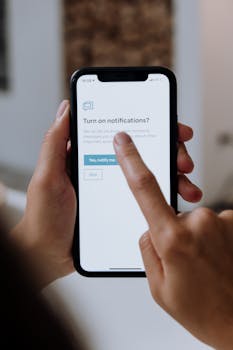
Fine-Tune Notifications for Balance
Scenario: Building a Weekly Routine
Accessibility Options Make Browsing Inclusive and Efficient
Tailor Subtitles and Translations
Experiment with High Contrast and Dark Mode
Making YouTube Features Work for You: Final Thoughts